My Favotite







Endless Runner
View more














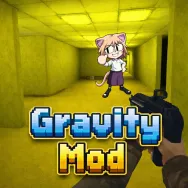
Gravity Mod drops you into a playground where gravity isn’t just a background rule. It’s the star of the show. Every object has weight. Every structure has balance. Every explosion has consequences. This isn’t about following missions or ticking off objectives—it’s about asking, “What happens if I try this?” and actually finding out.
Game Modes
Sandbox Mode
This is where imagination takes the lead. Spawn objects instantly, test physics interactions, assemble custom environments, or create complex mechanical setups. There are no restrictions—only tools and possibilities.
Survival Mode
Survival transforms the sandbox into a battlefield. Waves of zombies close in, forcing you to think tactically.
Nextbots Mode
Nextbots introduce psychological pressure. These AI-driven entities don’t just chase—they pursue relentlessly and unpredictably.
Gameplay
Objective
Gravity Mod doesn’t define victory in a traditional way. Your objective depends on the mode:
- In Sandbox, it’s creation and experimentation
- In Survival, it’s endurance
- In Nextbots, it’s escape
Navigation
- WASD: Move freely in all directions
- Space: Jump to reach elevated areas
- Shift: Run for speed bursts
- Z: Sit/crouch for tighter positioning
- V: Fly for aerial movement
Other Ragdoll Games
FAQs
What is the main difference between Sandbox and Survival mode?
Sandbox is unrestricted creativity with no threats. Survival introduces constant enemy pressure and resource management.
How do I spawn items and NPCs in Gravity Mod?
Press Q to open the Spawn Menu. From there, select objects, NPCs, or tools and place them directly into the world.
What are “Nextbots” and why are they so hard to beat?
NextBots are advanced AI pursuers designed to continuously pressure players. Their unpredictable behavior and speed force you to rely on mobility and map awareness rather than direct confrontation.
 Action
  Arcade
 Comment (0)
Newest
NewestOldestPopular

Be the first to comment